AI-assisted clinical documentation for allied health professionals
SideClick seals every patient record on your devices and on our server, where we cannot read it, with on-device AI for SOAP notes, scheduling, billing and outcomes — built for allied health, from speech pathology to social work.
Works fully offline. Your data is sealed on our server and we cannot read it.
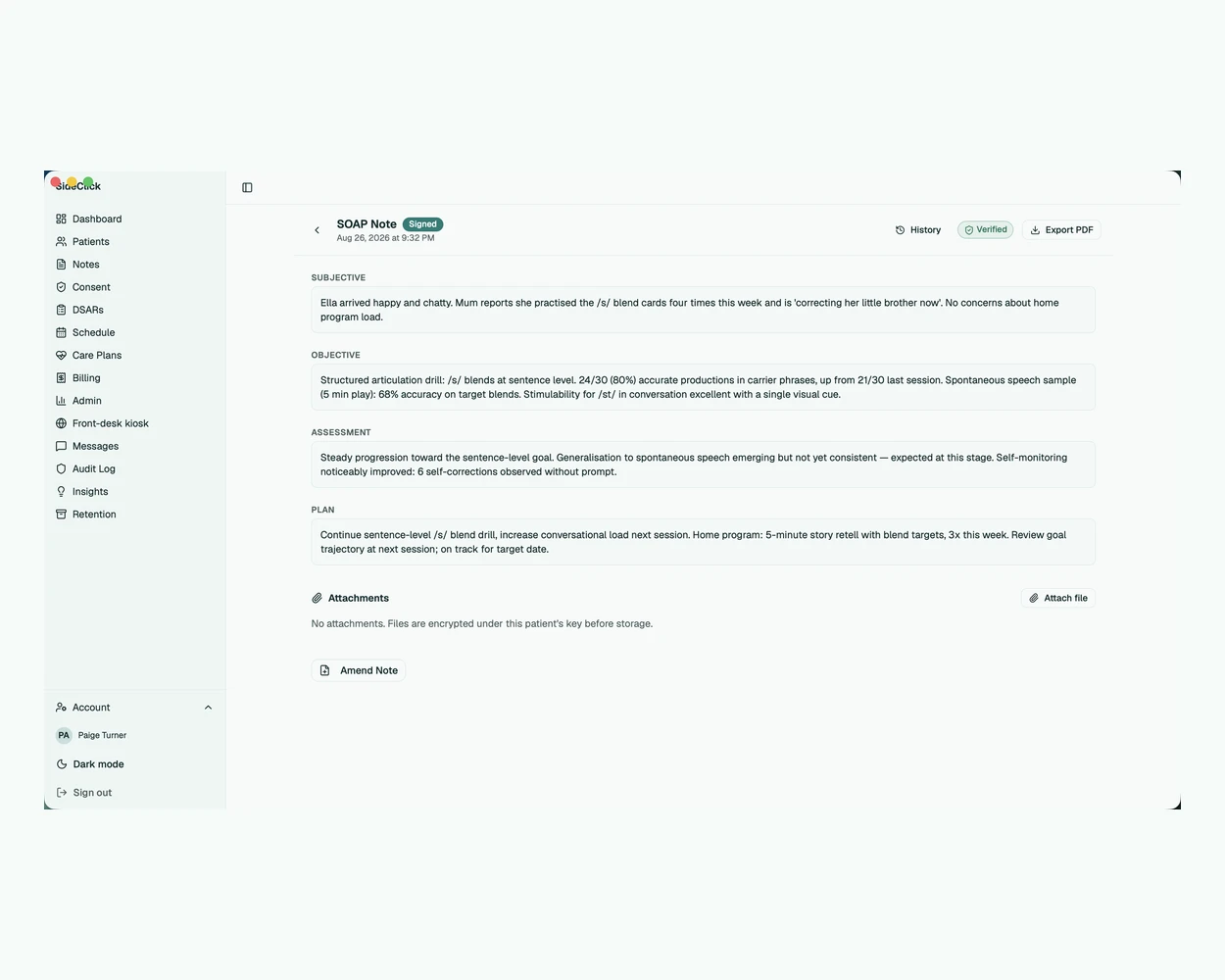
Your records never leave your hands
Every patient record lives in an encrypted database on your own devices and, sealed, on our server — which stores only ciphertext and can never read a note. Your data is sealed on our server and we cannot read it.
- of AI inference runs on your device — nothing is sent to a cloud model
- 100%
- of full-capability trial — no feature crippling while you evaluate
- 30 days
- devices included with every seat — three of them computers
- 5
Everything a practice runs on
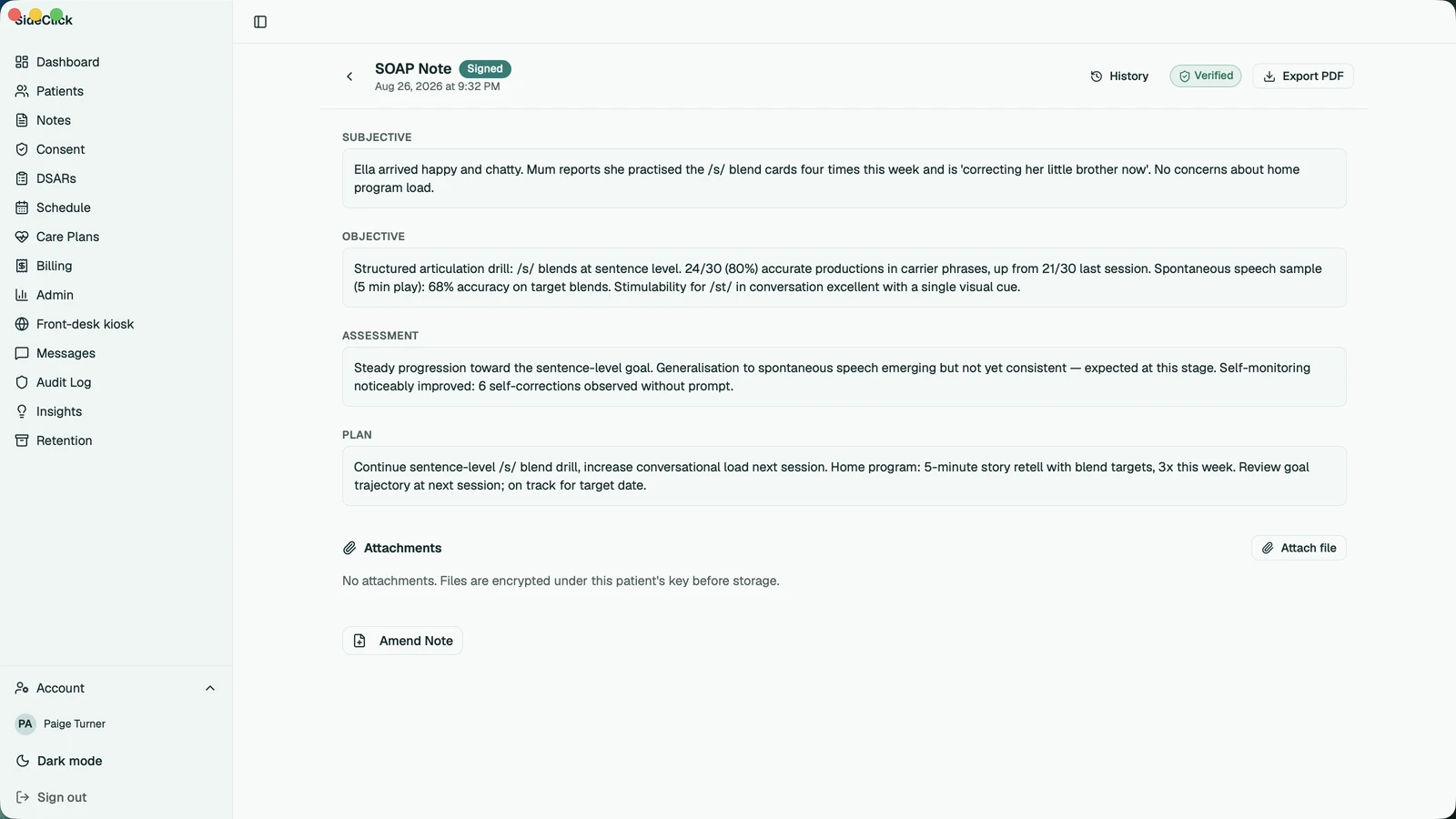
On-device AI notes
Draft SOAP notes with a local language model. Inference runs entirely on this machine — never a cloud API — and is included in every edition.
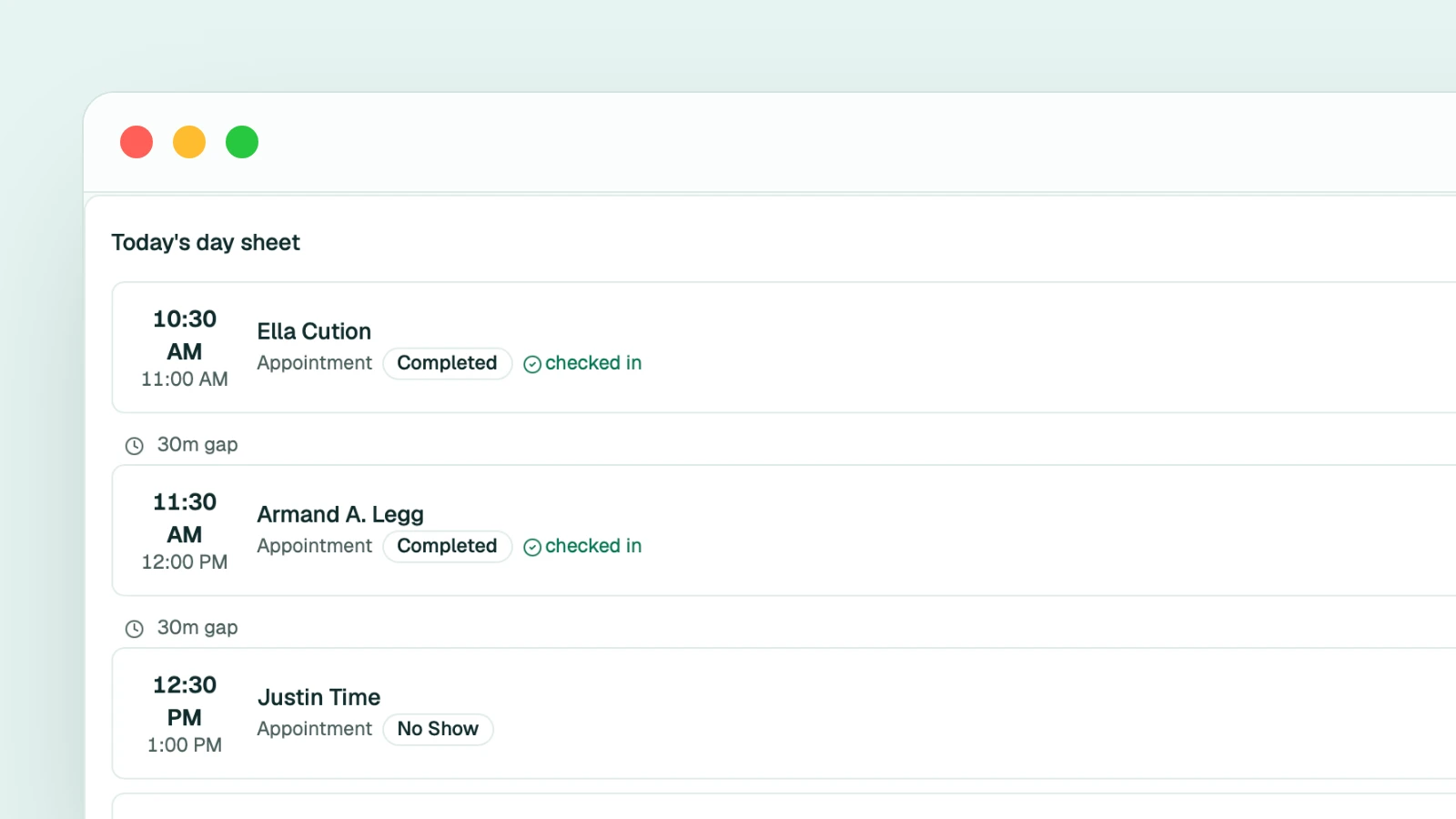
Scheduling
A practice calendar built into the record, with patient self-booking and published ICS feeds on the Practice edition and above.
Billing & invoices
Generate invoices and track payments from inside the chart, without switching tools mid-session.
Outcomes & PROMs
Send PROM forms, capture outcome measures, and follow progress trends across a care plan.
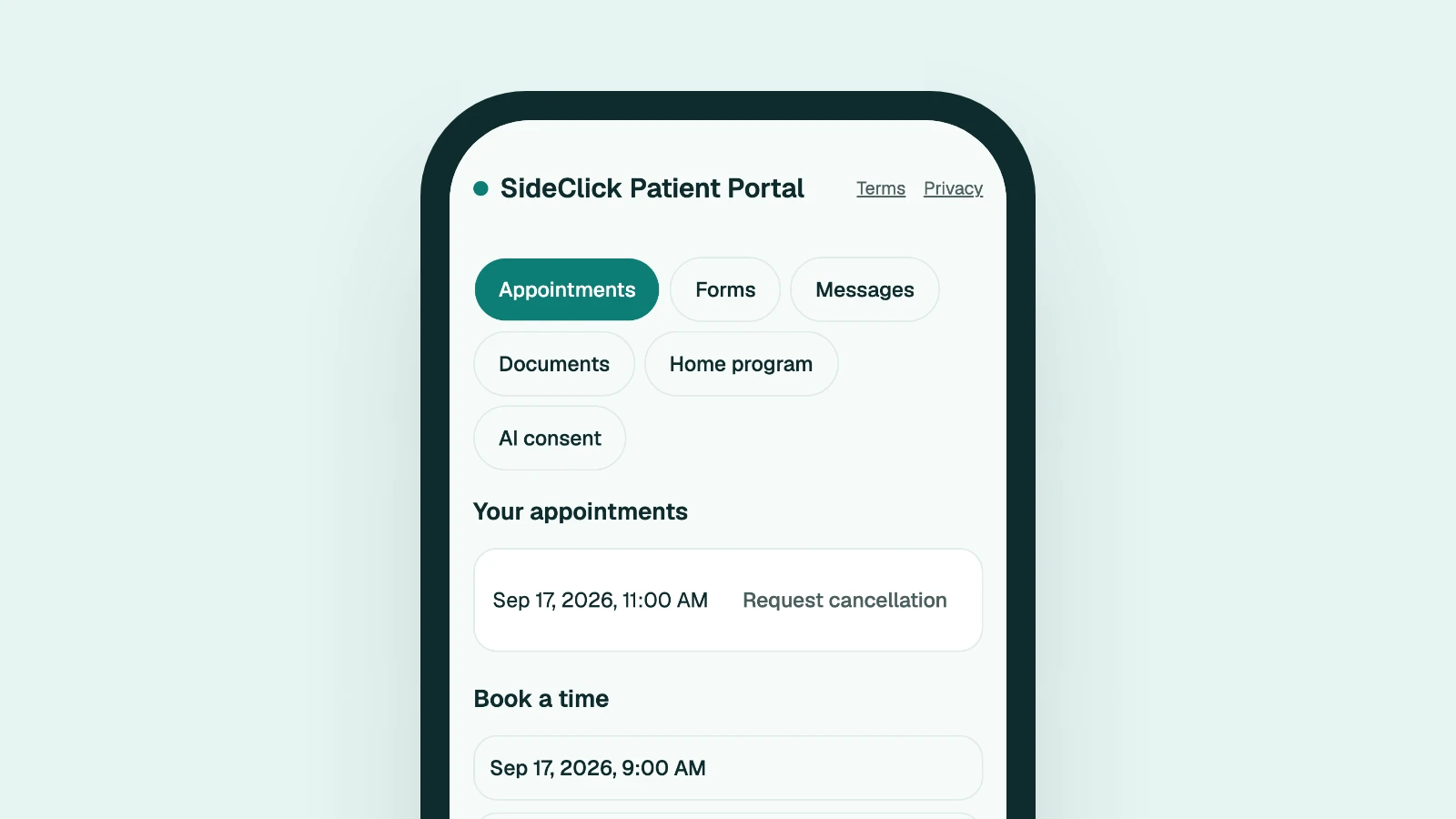
Patient portal
Invite patients to a secure portal for messages, document delivery, PROM forms and self-booking.
Encrypted & portable
Records are encrypted at rest; sync passes through a zero-knowledge sync server. Export any time — .cfbak backup, PDF, CSV.
Up and running in an afternoon
Install from your store
Get SideClick from your platform's app store — Microsoft Store, Mac App Store, App Store or Google Play — signed and updated by the store. From day one every record is sealed on our server, where we cannot read it, and kept on your devices.
Work the 30-day trial
Every capability is open during the trial, so you can evaluate a real caseload end to end — notes, scheduling, billing, portal.
Pick your edition
Buy on this site to keep going. The seats go onto your account; your devices learn theirs at sign-in and keep working on it, even offline.
See it in each edition
Built alongside working clinicians
[Placeholder — a pilot clinician's words about finishing notes inside the session will appear here once consented.]
[Placeholder — a pilot clinician's words about scheduling, notes and billing living in one place will appear here once consented.]
[Placeholder — a pilot clinician's words about report writing will appear here once consented.]
Editions
Editions are capability sets, not headcounts — seats multiply within an edition, never the boundary between them. Each edition adds to the one before it.
SideClick Solo
Everything you need to run a single-clinician practice, on every device you own.
$35 /mo ex taxper clinician seat
Two months free on annual billing.
1 clinician seat · plus a free seat for a front desk or bookkeeper · five devices, three of them computers
- Notes, scheduling, billing, PROMs
- On-device AI (SOAP generation)
- Multi-device sync & the clinician mobile PWA — every record sealed on the sync server, storage included
- Local .cfbak backup
- Full audit & compliance
SideClick Practice
The multi-clinician practice: a seat for every member, the front desk and bookkeeper free, plus the remote patient portal.
$39 /mo ex taxper clinician seat
Two months free on annual billing.
Per clinician seat · front desk and bookkeeper free, one for each clinician seat
- A clinician seat for every owner, associate and assistant, and a free seat for a front desk or bookkeeper with each one — everyone on one shared record
- Patient invites, self-booking & secure messages
- PROM forms, document delivery & ICS feeds
On-device AI ships identically in every edition — it is never edition-gated. A seat is one person’s; everyone who works on the shared record holds one. You pay for clinician seats, and each one comes with a free seat for a front desk or bookkeeper. Storage for your sealed records is included with every seat, and every seat is a subscription.
Founding practices: the first 25 practices get 50% off for 12 months in exchange for an honest testimonial.
Subscriptions renew automatically at the end of each monthly or annual period until you cancel. Cancel any time from the billing portal and keep the service to the end of the period you have paid for. Our order process is conducted by our online reseller Creem (Armitage Labs OÜ); Creem is the merchant of record for all our orders and handles payment, tax invoicing and refunds under our refund policy.
What happens when a seat ends
A seat never locks your existing clinical data. Reads, edits, exports (.cfbak, PDF, CSV) and restore work in every seat state, including no seat, forever. Your existing data is never hostage.
Local clinical work on EXISTING records (notes, scheduling, billing, PROMs)
✔ in every seat state
Creating NEW records (patients, session notes, appointments, invoices, practitioners)
- valid
- ✔
- ended — read-only (90 d)
- ended paid seat ✔ · ended trial: ✔ during the 30-day evaluation window from this computer's first registration, ✘ after until a seat is held
- expired / no seat
- expired paid seat ✔ · ended trial or no seat: ✔ during the 30-day evaluation window from this computer's first registration, ✘ after until a seat is held
On-device AI
✔ in every seat state
Local .cfbak export / restore / secure wipe / diagnostics
✔ in every seat state
PDF / CSV export
✔ in every seat state
Kiosk mode (in-app /portal)
✔ in every seat state
Sync to the server (flush + live WS)
- valid
- ✔ (every edition; the trial too)
- ended — read-only (90 d)
- ✘ — the sync server takes nothing new; the badge shows "Sync paused"
- expired / no seat
- ✘ — the sync server takes nothing new; the badge shows "Sync paused"
Pull/ack from the server (drain already-synced data)
- valid
- ✔
- ended — read-only (90 d)
- ✔ — sign in, read and export for 90 days, then the server copy is deleted
- expired / no seat
- the server copy is gone after the 90 days; the desktop stops polling
Signing in on a NEW device (5 per seat, 3 of them computers)
- valid
- ✔ within the limits
- ended — read-only (90 d)
- ✔ within the limits
- expired / no seat
- ✔ within the limits; sync stays paused
Portal publishing / invites / inbox drain
- valid
- ✔ (portal+)
- ended — read-only (90 d)
- ✘ — existing local portal rows stay readable
- expired / no seat
- ✘ — existing local portal rows stay readable
One deletion, and only one. The sync server keeps every sealed entry while a seat is held and for the 90 read-only days after it ends; a seat renewed within them resumes service in place. After the 90 days the person's copies on the server are deleted — nothing on their devices is touched.
How seats work
Subscription
Renews on its own clock, monthly or annual, with a 14-day warning before it ends. If it lapses, your records stay on our server read-only for 90 days — sign in, read, export, or renew to carry on — and your devices keep everything either way.
Trial
Every feature for 30 days from sign-up, no card needed. When it ends your records stay readable for 90 days — buy a seat and carry on exactly where you were.
A seat is one person’s: it is handed out by invitation, follows them into every practice they share with the payer, and returns to the payer when they leave. Everyone who works on the shared record holds one: an owner, associate or assistant holds a clinician seat, which is what you pay for, and every clinician seat comes with one free seat for a front desk or bookkeeper. Each seat includes five devices, three of them computers, and storage for the sealed records. After a downgrade, existing accounts and devices stay fully active — only new seats and new sign-ins are blocked.
Nothing to paste: each device learns its seat when you sign in and keeps working on what it last knew, so an outage on our side — or the company disappearing — can never lock a clinician out. A seat never carries any patient information.
Questions, answered
Which professions is SideClick for?
Allied health private practices — speech-language pathologists first, with OTs, physios, psychologists, dietitians, podiatrists, audiologists, exercise physiologists, chiropractors and social workers equally at home. See every discipline.
Does the AI send my notes anywhere?
No. SOAP generation runs on a local model on your own machine. There is no cloud inference — the AI keeps working with the network unplugged.
What happens when my seat ends?
Your records on your devices stay readable, editable and exportable in every seat state; the server copy stays readable for 90 days, then is deleted. Only adding pauses — sending new entries and new seats. See the full capability matrix.
What does the trial include?
Thirty days of every feature, from sign-up, on every device. When it ends, existing records stay fully accessible — holding a seat is what allows new patient intake to continue.
How do seats and devices work?
A seat is one person's and covers five devices, three of them computers. Everyone who works on the shared record holds one. Owners, associates and assistants hold a clinician seat, which is what you pay for, and every clinician seat comes with one free seat for a front desk or bookkeeper. Seats are handed out by invitation and follow the person.
Does it work offline?
Yes. The app is local-first, and your devices keep working on the seat they last saw — an outage on our side can't lock you out.
How do I get my data out?
Export at any time as an encrypted .cfbak backup, PDF reports or CSV — whatever your seat state.
How much does SideClick cost?
Solo is US$35 a month for one clinician. Practice is US$39 a month per clinician seat. Every clinician seat comes with a free seat for a front desk or bookkeeper, so the front desk and the bookkeeper cost nothing, up to one for each clinician seat. Storage for your sealed records is included. Cloud is quoted annually. Every seat is a subscription, monthly or annual; prices are in US dollars for everyone and exclude tax, and annual billing gets two months free.
Get SideClick from your platform’s store
The SideClick apps for Mac, Windows, iPhone and Android are on their way to their app stores. Create your account now: when the app for your computer or phone arrives, you sign in to it with the same email and password, and your trial or the seats you bought are already on the account.
Create your accountTry SideClick free for 30 days
Full capability, no card required. Your data is sealed on our server and we cannot read it.